Language flashcards · Claude and ChatGPT
Make complete language-learning flashcard decks from ChatGPT or Claude with one prompt.
Tell your assistant what you want to learn. It chooses the words and phrases, writes translations and examples, creates audio in the voice you ask for, and saves the deck to the Grandmaster Flash app.
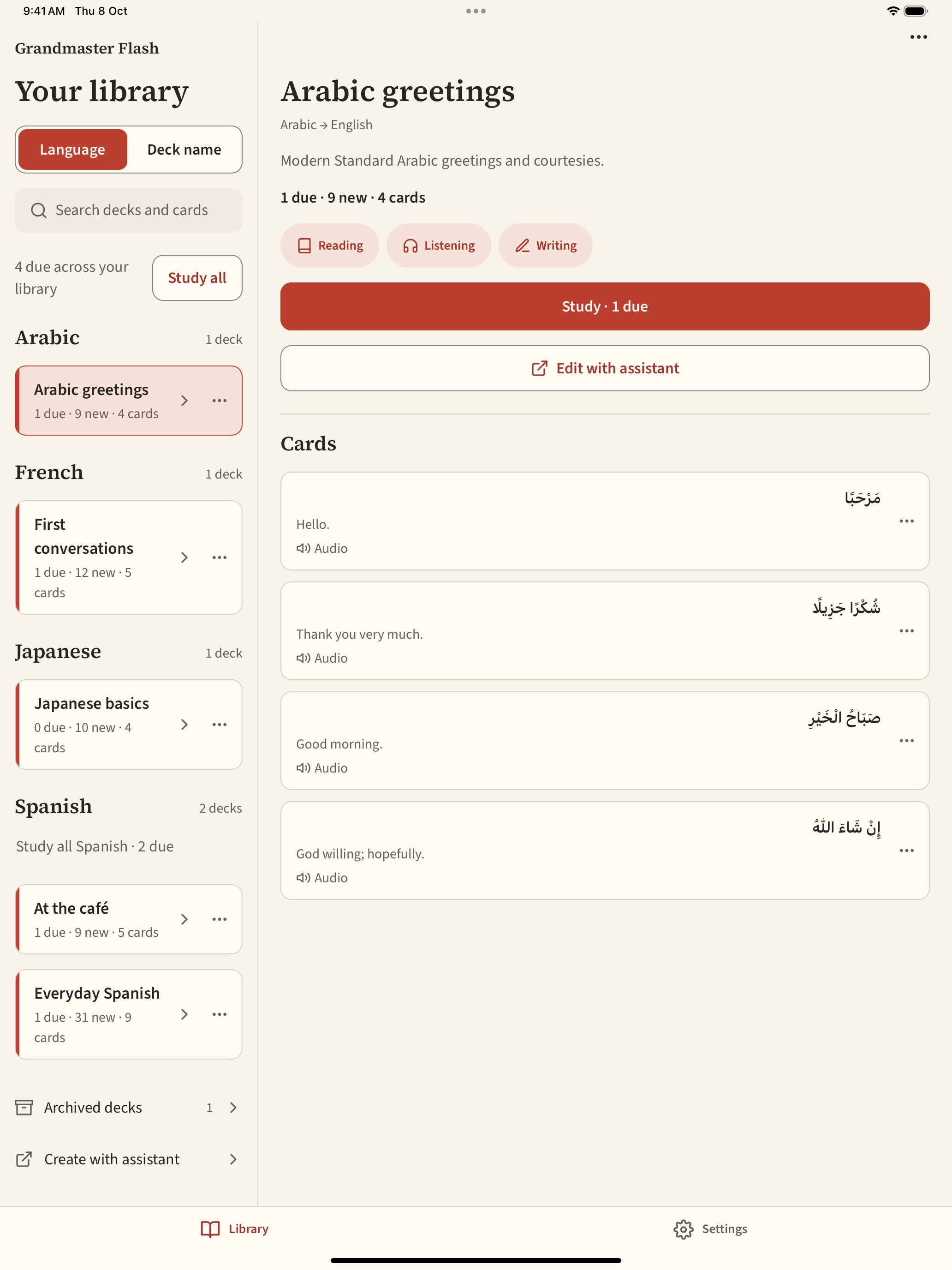
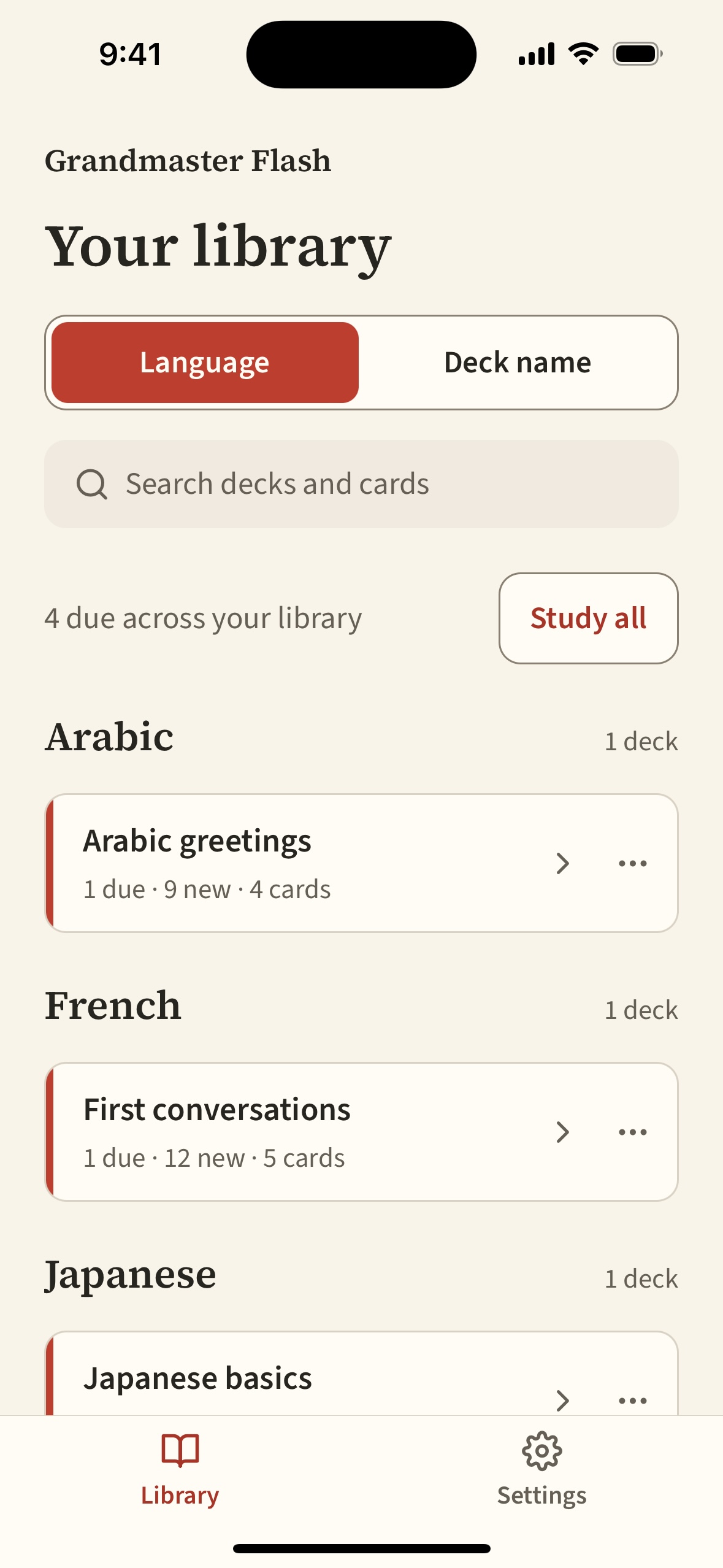
Then you study the deck on your phone or tablet, online or offline. The app schedules each review.
The iOS app is in TestFlight preparation. Public downloads aren’t available yet. Contact us about access.
Why it exists
Making a deck used to take an afternoon.
Before
- Research the words and phrases worth learning.
- Build them into a list with translations.
- Export a CSV and import it into Anki.
- Find or record audio for every card.
With Grandmaster Flash
One step, right from your assistant. Grandmaster Flash connects Claude or ChatGPT to your flashcard library, so the assistant can do the research, write the cards, create the audio, and save the deck for you.
That makes it quick to create a deck on anything — a trip, a meeting, a menu, an article, a song — and be ready for the situation before you’re in it.
One prompt
What it looks like in the chat.
You write one message. Your assistant uses the Grandmaster Flash connector to research the vocabulary, find a voice that matches your request, create the cards, and generate the audio.
Open the app and the deck is in your library. Ask your assistant to show you the cards first if you want to check or change anything.
An example conversation
Examples
Decks for where you’re going.
Say the language, the situation, and the voice you want. Copy one of these to try it.
-
Ordering at a café in French
Male voice
Using Grandmaster Flash, make a French deck for ordering at a café in Paris: greetings, drinks and pastries, asking for the bill, and small talk with the waiter. Include English translations and an example sentence for each card. Use a male Parisian voice for the audio.
-
Business meetings in Spanish
Argentinian female voice
Using Grandmaster Flash, create a Spanish deck for business meetings in Buenos Aires: introductions, agreeing and disagreeing politely, scheduling, and wrapping up. Use expressions people actually say in Argentina, and an Argentinian female voice.
-
In-flight meals in Mandarin Chinese
Beijing accent
Using Grandmaster Flash, build a Mandarin Chinese deck for talking with flight attendants about in-flight meal options: choosing a dish, dietary needs, drinks, and asking for more. Include pinyin, and use a voice with a Beijing accent.
Decks from things you already have.
Attach a screenshot, or paste a link or text into the chat. Your assistant picks out the words worth learning.
-
A screenshot of an article
Attach the image to your message
Using Grandmaster Flash, make a deck from the words in this screenshot of a German news article. Pick the 20 words I’m least likely to know at B1 level, use the sentence from the article as each card’s example, and add audio.
-
A blog post with vocabulary
Paste the link or the text
Using Grandmaster Flash, turn the vocabulary in this blog post into an Italian deck. Keep the post’s example sentences, add English translations, and generate audio. Here’s the post:
-
Lyrics from a song
Paste the lyrics you’re listening to
Using Grandmaster Flash, make a Portuguese deck from these song lyrics. Pick the useful words and phrases, explain any slang in the notes, and use a Brazilian voice. Lyrics:
Studying
Then practise on your phone.
The app is for practice. Decks are created and changed in your assistant; the app shows you the right cards at the right time.
Each card shows a prompt. Think of the answer, reveal it, and choose Remembered or Forgot. Cards you know come back less often; cards you miss come back soon.
- Four ways to practise
- Reading, listening, writing, and speaking each have their own schedule. Writing and speaking are self-assessed.
- Audio in the voice you chose
- Every card can have audio, generated in the accent you asked for or from recordings you supply.
- Works offline
- Decks and audio download automatically. Reviews you make offline sync when you reconnect.
- Fix things from the chat
- Flag a card that looks wrong. Your assistant can find flagged cards and correct them.
Phone and tablet
The same library, on a larger screen.
Sign in on a tablet with the same account to see the same decks and practice history.